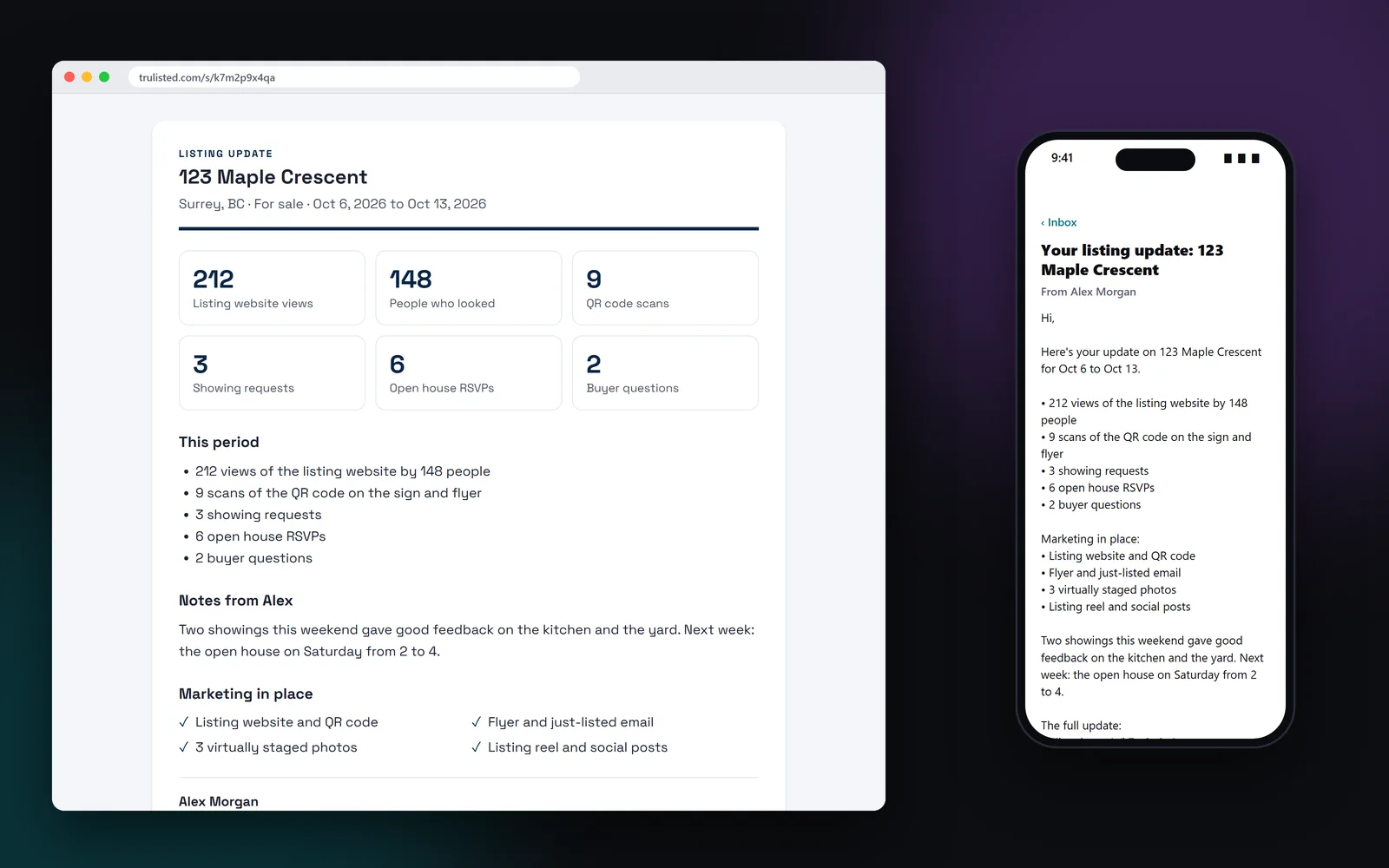
What a seller update shows
Only the numbers that happened appear, biggest first. A quiet week says so plainly, with a line that you'll keep promoting the listing.
- Views of the listing website, and how many people viewed it
- Scans of the QR code on the sign and flyer
- Showing requests, open house RSVPs and buyer questions
- People who asked to hear when it's listed
- The marketing in place, such as the flyer or three virtually staged photos
- Your own notes
A ready-to-send seller email
Each update comes with a subject line and a short email in plain words: the period, the activity, the marketing in place, your notes and the link to the full update. It's signed with your name, brokerage and contact details. Copy the subject, the email or the link with one click, and send it from your own email. Nothing is sent until you send it.
Sellers see counts, never buyers
Buyers who contact you trust that their details stay with you. Seller updates show totals only: three showing requests, not who made them. The private link is never indexed by search engines.
That keeps buyer privacy intact and keeps the update easy to read. Past updates are saved on the listing, so you can see what you sent and when.
Why weekly seller updates matter
Silence worries sellers. A regular update, even in a quiet week, shows the marketing is working and opens the talk about feedback or price before it gets awkward. It also backs up a promise you can make in a listing presentation, where seller updates are part of the marketing plan. Pick the period that matches how often you send them. Seller updates are free on every plan.
Step by step
- 01
Pick a period
The last 7, 14 or 30 days.
- 02
Add your notes
Showing feedback, next steps, anything the numbers don't say.
- 03
Copy the email
The subject, message and link are ready to paste into your email.
- 04
Send it
The seller reads the update, and the link keeps the full report.
Built to help you follow the rules
Seller updates show totals only and never a buyer's name, email or message. The private link is never indexed. The numbers come from your listing website, QR code and lead forms, where every buyer gave consent before contacting you.
How Trulisted handles compliance →Seller updates: questions agents ask
What should a seller update include?
How many people saw the listing, what they did (showings, questions, RSVPs), what marketing is in place, and your view of what's next. Trulisted fills in the first three for you.
How often should I update my seller?
Weekly works well while a listing is active. Trulisted reports on the last 7, 14 or 30 days.
Will my seller see who requested showings?
No. Seller updates show counts only, never buyers' names or details.
Does Trulisted email the seller for me?
No. It writes the email; you copy it and send it from your own email.
Are seller updates included in my plan?
Yes. Seller updates come with every plan, including your free first listing.
Works well with
See all features →- QR codes and scan tracking →A QR code for your sign and flyer that counts scans and marks the leads it brings in.
- Listing websites →A page for every listing at an easy web address, with photos, a map, the originals and a lead form that follows the campaign.
- Leads in one place →Every request from your listing websites, QR codes, open houses, website and card, with consent recorded and sent to your CRM.
- Listing presentations →A private pitch page with your plan, previews of the seller's own photos and your CMA range.
Try it on your next listing, free
Your first listing is free. No credit card needed.
Create your first listing free