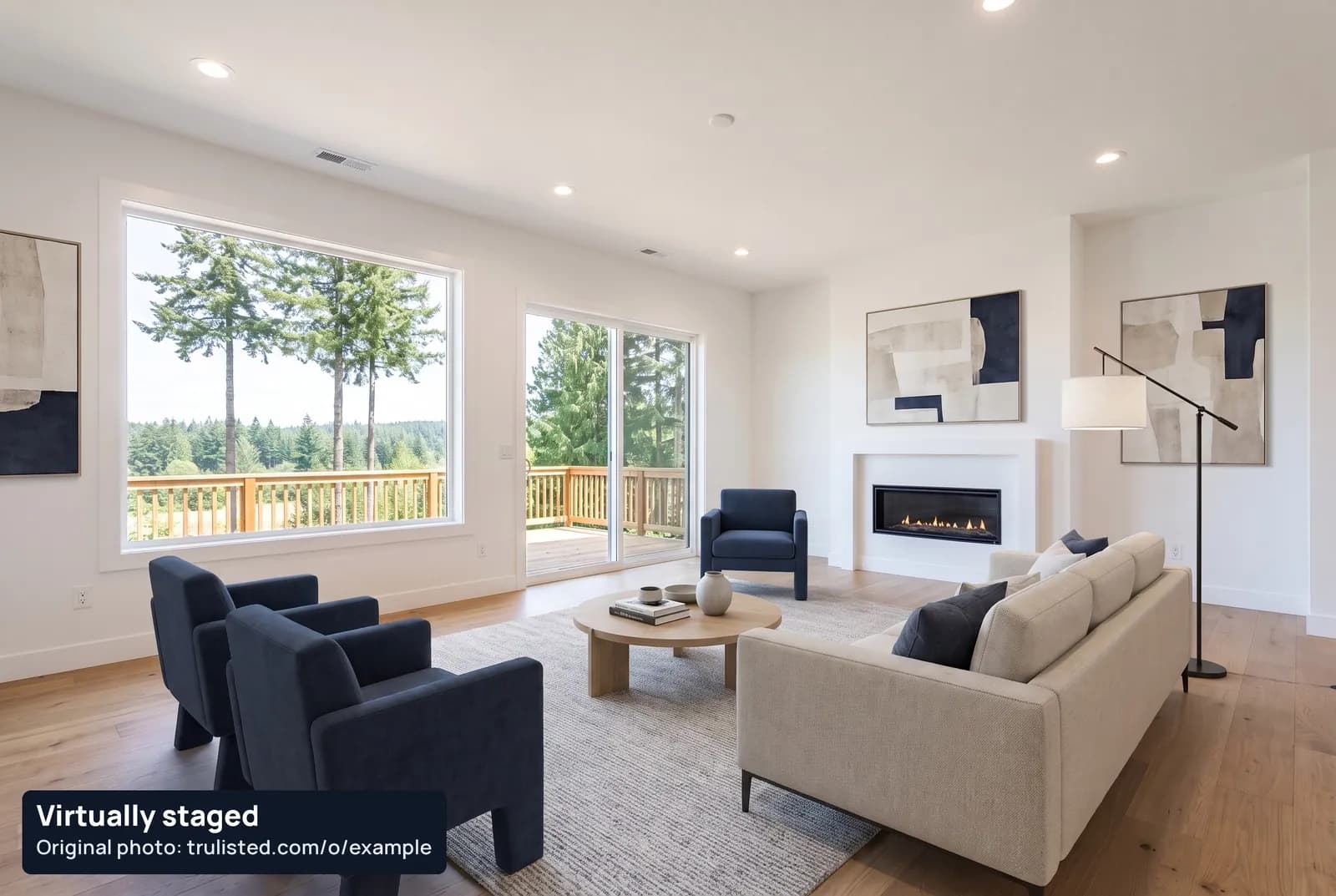
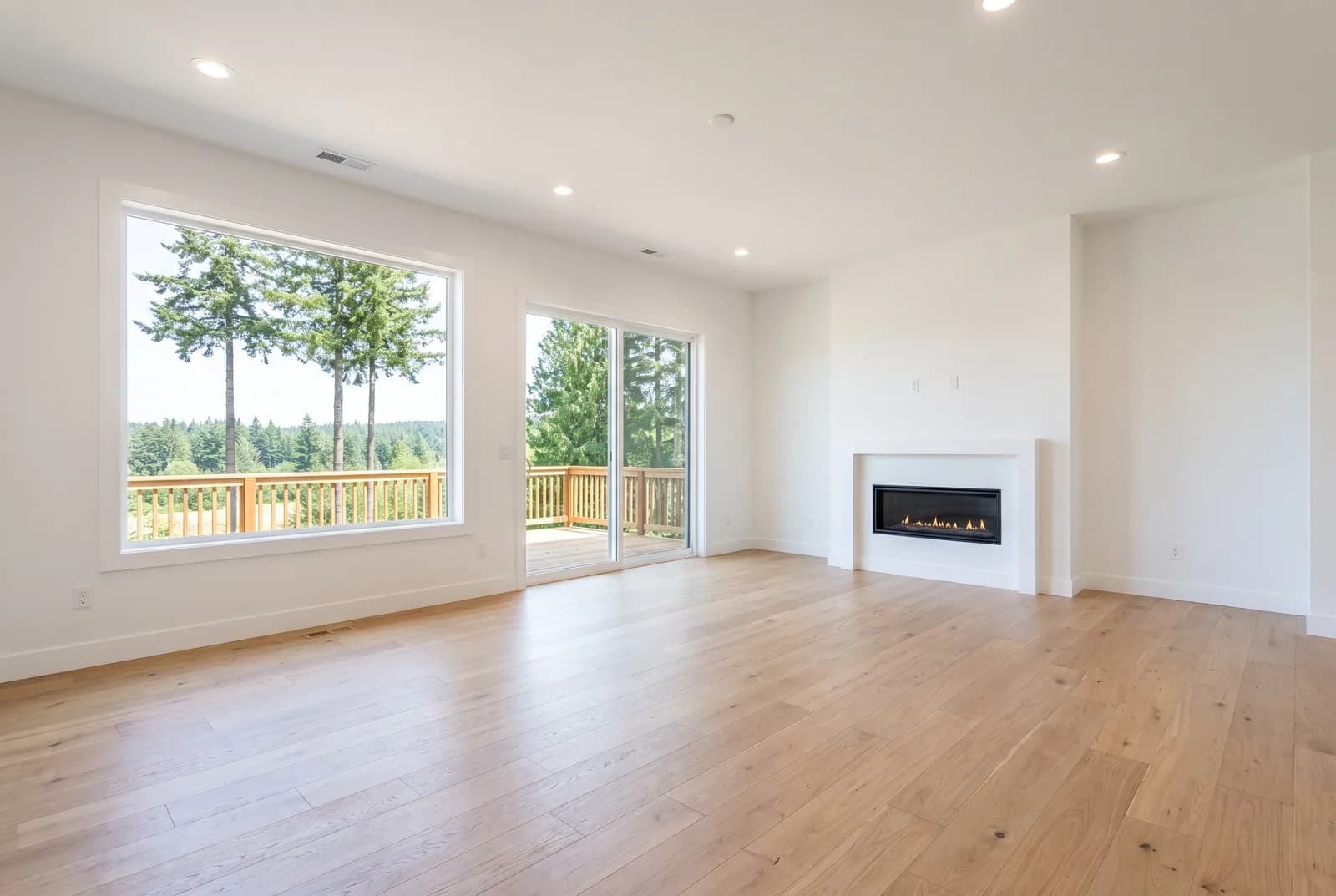
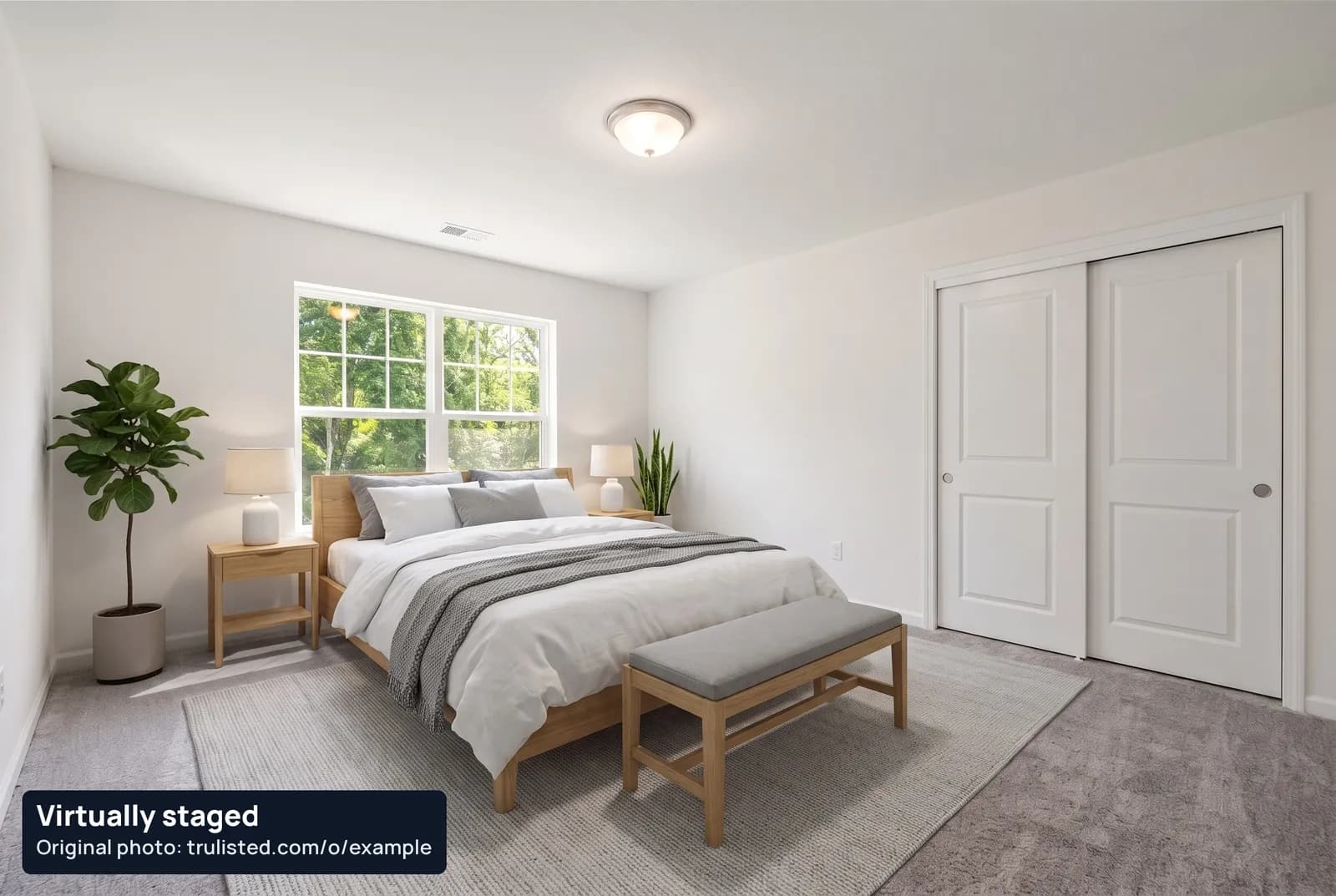
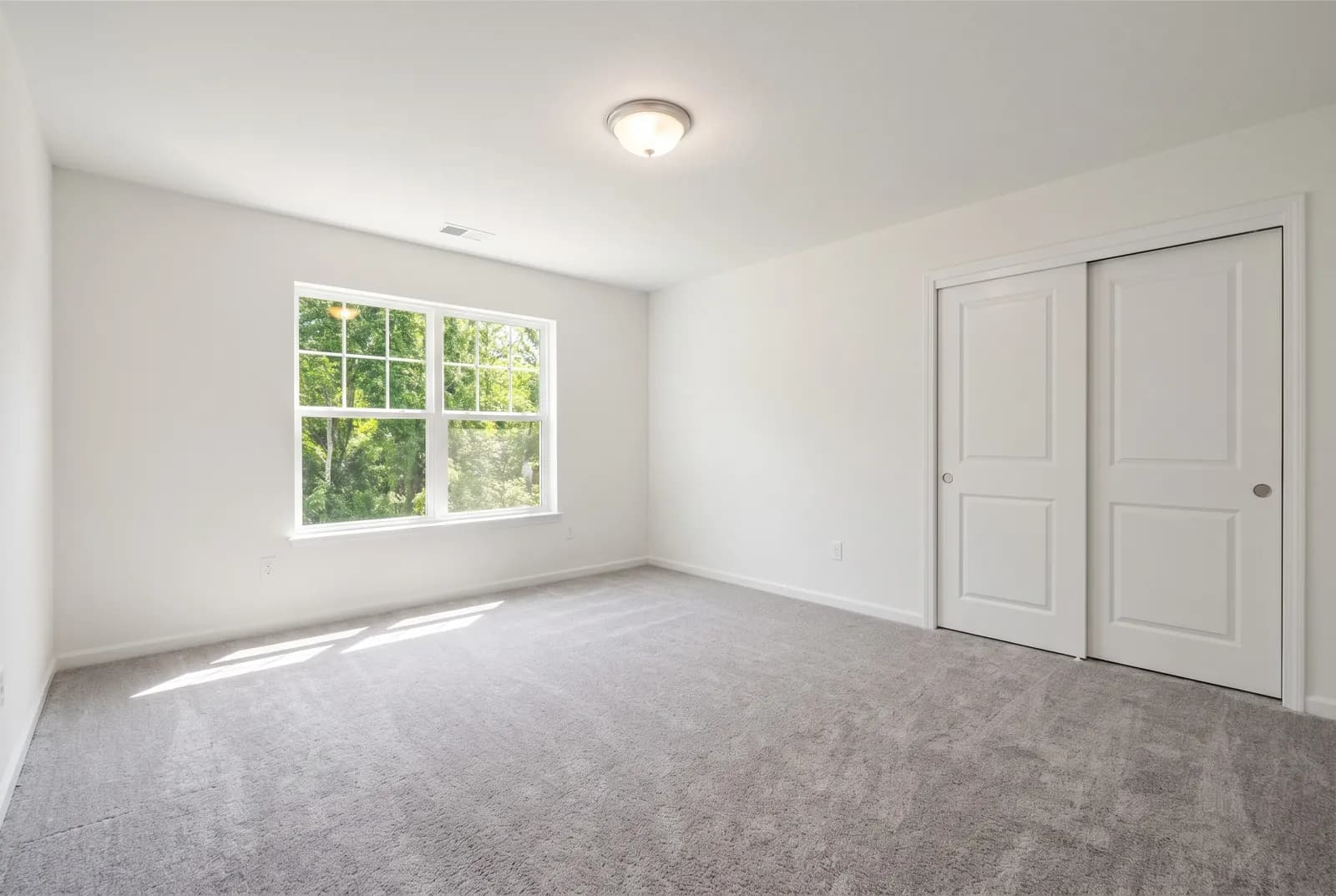
Empty rooms are hard to picture. Real staging is expensive.
Virtual staging shows scale and use for a fraction of the cost of renting furniture, and it's ready the same day you list.
About a minute per room
Choose the photos and a style. Staged results arrive while you write the rest of the listing.
Six styles
Modern, Scandinavian, modern farmhouse, luxury, coastal and industrial, matched to the room type.
Included in every plan
No per-photo invoices: credits are part of your listing or monthly allowance.
AI honesty review
A second AI compares every result with the original and holds back changes to walls, windows, floors, fixtures or views.
Label on the image
“Virtually staged” and the originals link are burned into the photo, so the disclosure survives sharing and syndication.
Original Photos page
A public page with the unaltered photos, linked by short URL and QR code on the photo, flyer, email and reel.
Furniture added. The rest is checked.
The AI is told to place items only in open floor and wall space and to keep everything else exactly as it is. Then the result is checked:
- Walls, ceiling, windows, doors and trim must match the original
- Flooring, fireplaces, cabinets and built-ins can't be changed or hidden
- No added outlets, vents or heaters, and no repaired damage
- Results held for honesty problems can't be downloaded and are never charged
From upload to download in minutes
- 01
Upload the listing photos
Tag each room: living room, bedroom, kitchen and so on.
- 02
Pick rooms and a style
Select up to 10 rooms per run and one of six styles.
- 03
We stage and review
Each result is checked against the original and labelled.
- 04
Use it everywhere
Download for the MLS®, or use it in your flyer, email and reel with the label and originals link.
Virtual staging disclosure: what the rules say
California: since January 1, 2026, AB 723 requires a statement that the image was altered and a link, URL or QR code to the unaltered original. Trulisted adds both.
British Columbia: the Real Estate Services Rules prohibit misleading advertising, and BCFSA's guidance says edits must not misrepresent the property and advises labelling altered or AI-enhanced photos.
Everywhere else: the NAR Code of Ethics requires a “true picture” in advertising, and many MLS® boards now ask for labels and the original photo next to the staged one.
Read our guides: Virtual staging in Canada and the US: what you must disclose, honest AI photo edits: what passes and what doesn't and the best virtual staging software, compared, or the compliance overview.
This is a summary, not legal advice. Rules change and vary by board, so check with your managing broker.
Virtual staging questions
What is virtual staging?
Virtual staging adds furniture and decor to a photo of an empty room with software, so buyers can picture how the space could be used. Nothing is placed in the real home, so the photo must be labelled as virtually staged.
How much does virtual staging cost?
With Trulisted, staging is included in every plan, with no per-photo invoices and no charge for retries. Each staged photo uses 1 credit: One Listing (CA$34 / US$25) has 12, Starter (CA$23 / US$17 a month) has 8 a month and Pro (CA$42 / US$31 a month) has 25 a month.
Is virtual staging legal for real estate agents?
Yes, in most places, as long as it's clearly disclosed and doesn't misrepresent the property. California's AB 723 requires a disclosure and a link to the original photo since January 1, 2026; BC's rules prohibit misleading advertising and BCFSA advises labelling altered photos. Check your MLS® board's own rules too. This isn't legal advice: ask your managing broker if you're unsure.
How long does AI virtual staging take?
Usually about a minute per room, including the AI honesty review. A whole listing with several staged rooms is typically ready in a few minutes.
Can AI virtual staging change the room itself?
It can, which is the risk. Trulisted tells the AI to only add furniture and decor, then a second AI reviewer compares the result with the original and holds back any image where walls, windows, floors, fixtures or the view changed. Images held for honesty problems can't be downloaded and are never charged.
Is there free virtual staging?
Your first Trulisted listing is free and includes the full kit with 8 credits (staging, twilight or declutter), no credit card needed.
Which rooms and styles can I stage?
Living rooms, family rooms, bedrooms, dining rooms, offices, basements and kitchens (stools and accessories). Styles: modern, Scandinavian, modern farmhouse, luxury, coastal and industrial.
Can I stage a room that already has furniture?
Yes, with full transformation. Trulisted empties the room first, then stages it, for 2 credits, and you keep both photos, each labelled. Staging straight over furniture isn't offered, because it tends to change the room. To show the room empty, declutter it for 1 credit.
Can I get virtual staging in Vancouver, Toronto or anywhere in Canada?
Yes. Trulisted works online, so you can stage listings anywhere in Canada and the US, from Vancouver and Toronto to small towns. Every staged photo gets its label and originals link. The wording check uses the base rules everywhere, plus draft rules for BC, Alberta, Ontario and California that are still in review.
Can I turn a staged photo into a video?
Yes. Pick it for a cinematic scene in your next run. The reel shows the original photo first, then the staged room with a slow camera move, labelled “Virtually staged · AI-animated”. Each scene uses 2 credits.
Everything else in the listing kit
See all features →- Photo editing & twilight →Brighten, declutter, day-to-dusk
- Listing descriptions →MLS-length, wording checked
- Flyer maker →Print-ready PDF with QR code
- Reel maker →9:16 listing video
- Compliance →Labels, originals, ad rules
- Free description grader →Score your MLS remarks
- Examples →Every output from one listing
Stage your next listing in minutes, labelled and ready for the MLS®
Your first listing is free. No credit card needed.
Create your first listing free