Built for the feed, with the disclosure built in
Intro
Status, price and address over your hero photo.
Room scenes
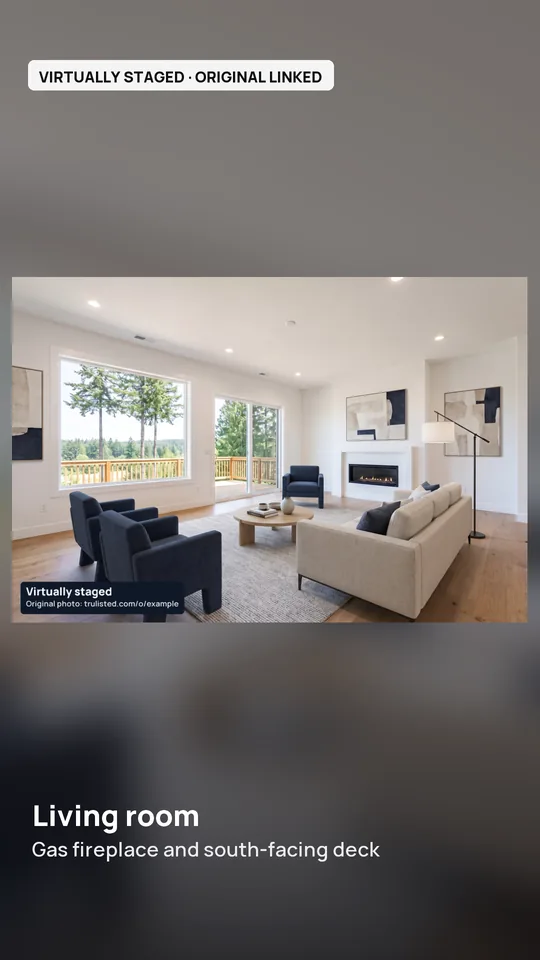
Up to seven photos with slow pans and room captions; staged photos are shown whole so the label stays visible.
Cinematic scenes (optional)
Up to 6 photos become 5-second AI camera moves into the room, 2 credits each. A staged, twilight or decluttered photo is animated as edited, right after its original, and labelled, such as “Virtually staged · AI-animated”. Renovation concepts and floor plans can't be animated.
Highlights card
Your listing headline and top features, in your brand colour.
Disclosure frame
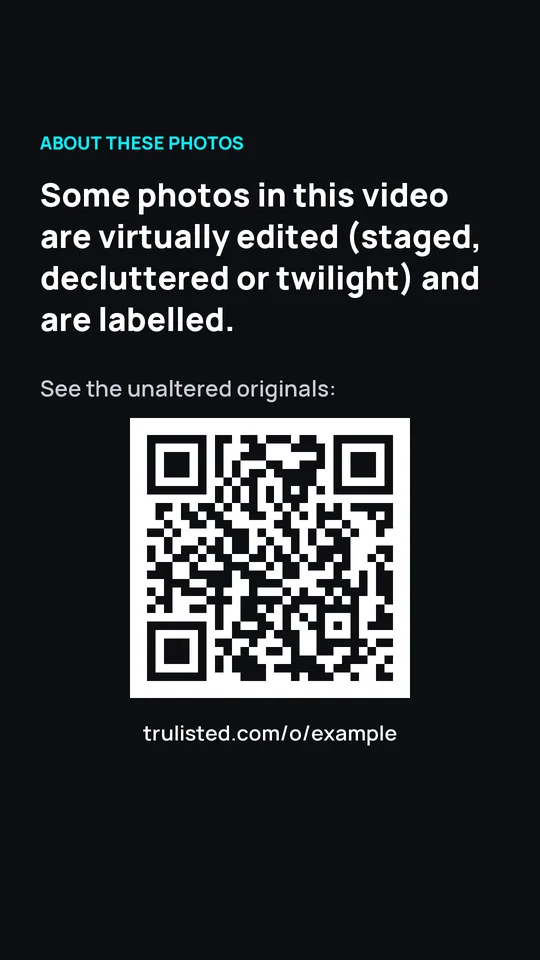
Only when needed: a plain-language note and a QR code to the original photos.
Your details
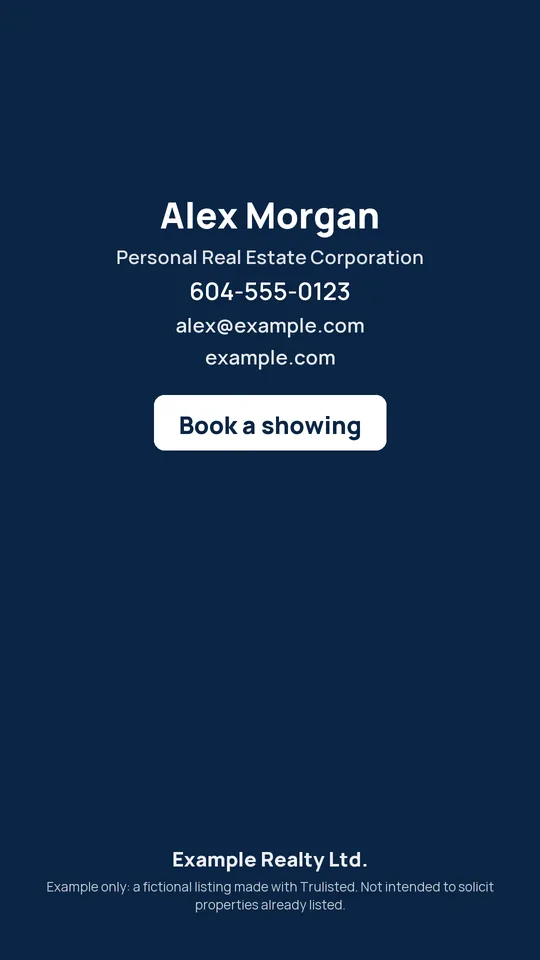
Name, Personal Real Estate Corporation wording, phone, email and brokerage at the end, with the last button in your accent colour.
MP4, 1080×1920
About 20–30 seconds, ready to upload. Your own music from the brand kit, or silent so you can add licensed music when you post.
Wide 16:9 version
The same story at 1920×1080 for YouTube, Facebook and your website, with the same labels and disclosure frame.
Short video gets seen. Disclosures get lost.
Vertical video is where buyers scroll, but reels are downloaded and reshared without their captions. That's why Trulisted keeps the disclosure inside the video:
- Each staged, twilight, Blue sky or decluttered photo keeps its burned-in label
- An animated edit follows its original photo and carries its label, like “Virtually staged · AI-animated”
- A disclosure frame with a QR code to the originals
- Your brokerage name in the video, not just the post
Real estate video questions
How do I make a real estate video from photos?
Upload your listing photos to Trulisted and make your kit. When the photos are ready, tick “Reel (9:16 video)” in the video step on the Create tab. It builds a 20–30 second vertical video with an intro (price and address), your best photos with slow pans and captions, a highlights card, a disclosure frame if any photo is staged, and an outro with your contact details. For a step-by-step guide, see how to make a real estate video from photos.
What size should a real estate reel be?
Vertical 9:16 at 1080×1920 pixels works for Instagram Reels, TikTok, YouTube Shorts and Facebook Reels. Trulisted exports an MP4 in that size, about 20–30 seconds long.
Does the video have music?
Only if you add your own. Upload a track you have the rights to in your brand kit and tick “Add my music”. Otherwise the video is silent, because popular music added to a file can get it muted or taken down; add a track from the platform's licensed library when you post.
What is a disclosure frame?
If the reel shows any virtually edited photo (staged, decluttered, twilight or Blue sky), it includes a frame explaining that, with a QR code and link to the unaltered originals. Captions get lost when videos are reshared, so the disclosure is part of the video itself.
Does the video include my brokerage name?
Yes. The final frame shows your name, Personal Real Estate Corporation wording if you have one, phone, email and your brokerage name, taken from your brand kit.
Can I add cinematic AI scenes to my listing video?
Yes. In the video step on the Create tab (it appears once your photos are ready), tick the reel, turn on “Cinematic scenes” and pick up to 6 photos. Each becomes a 5-second camera move into the room, checked frame by frame against the photo, for 2 credits a scene. A photo you've staged, decluttered or turned to twilight is animated as edited: the video shows the original photo first, then the animated edit with its label. A scene that fails the check keeps the normal slow pan and isn't counted. Renovation concepts and floor plans can't be animated.
Is there a watermark on the video?
On your free first listing, the reel and video carry a faint trulisted.com mark in the corner. Every video's end card also has a small “Made with trulisted.com” line. Paid listings have no corner mark.
Everything else in the listing kit
See all features →- Virtual staging →Furnish empty rooms, labelled
- Photo editing & twilight →Brighten, declutter, day-to-dusk
- Listing descriptions →MLS-length, wording checked
- Flyer maker →Print-ready PDF with QR code
- Compliance →Labels, originals, ad rules
- Free description grader →Score your MLS remarks
- Examples →Every output from one listing
Post a listing reel the day you list
Your first listing is free. No credit card needed.
Create your first listing free