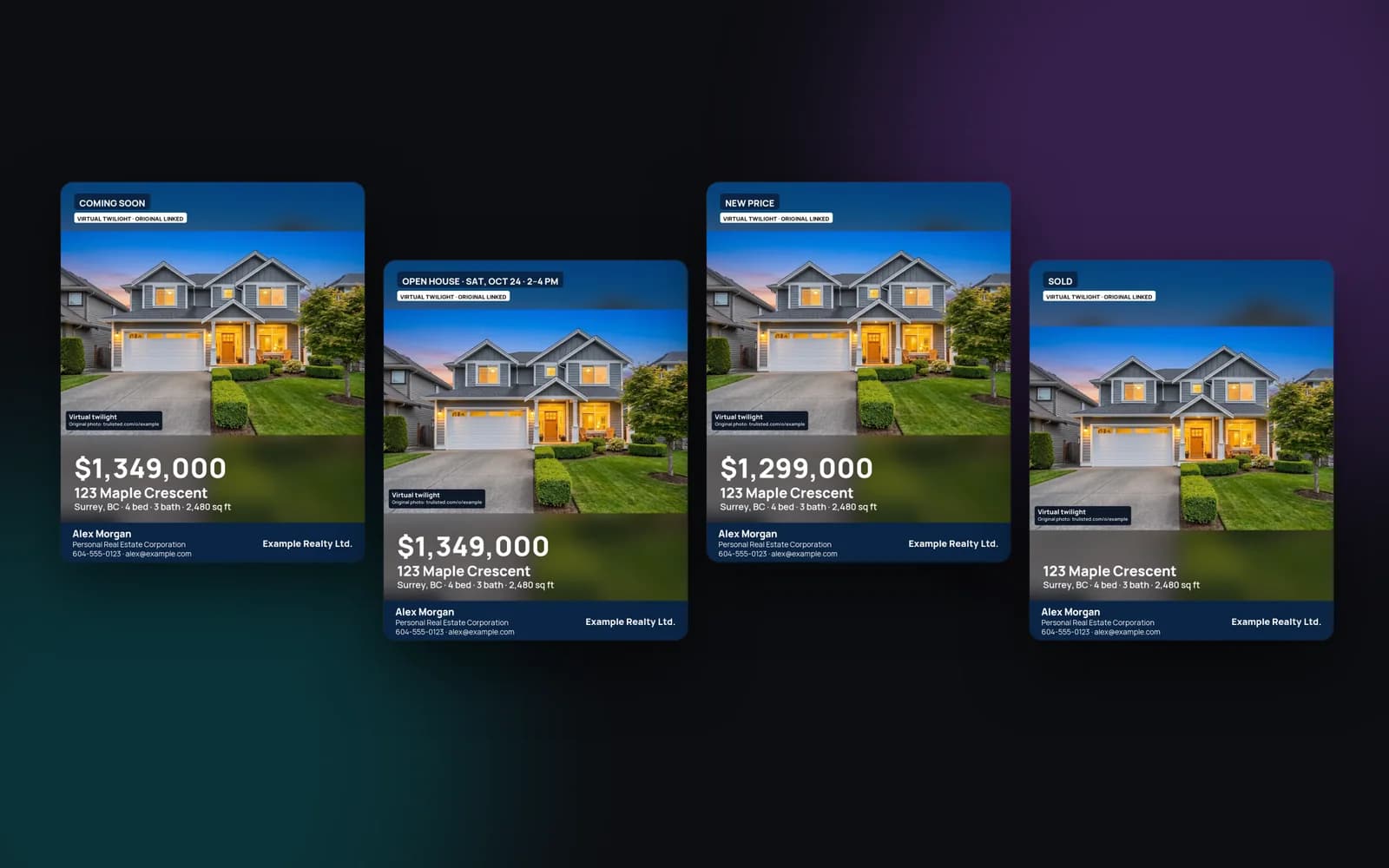
The five listing campaigns
Each campaign changes the tag, the call to action and the lead form:
- Coming soon: build interest before the listing goes live, with a “Tell me when it's listed” form
- Just listed: the launch kit, with showing requests and questions
- Open house: one or two days, with dates and times on every piece and an RSVP form with a calendar file
- New price: a “New price” badge and the new price on every piece
- Sold: a sold tag, the price hidden unless you opt in, and a “What's my home worth?” form
Open house marketing in one step
Enter the open house date and times, and add a second day if you're hosting both weekend days. Trulisted writes the dates into the flyer, email, reel and posts, such as “Open house · Sun, Oct 18 · 2–4 pm”. The listing website shows an RSVP form and a calendar file, so visitors can add the open house to their calendar. Every RSVP lands on your Leads page.
Sold marketing that respects the seller
Sold posts and flyers help you find the next seller, but the sold price isn't always yours to share. Trulisted hides the sold price unless you opt in, and reminds you about seller consent and your board's rules when you do. The listing website switches its form to “What's my home worth?”, so neighbours can ask for a home evaluation.
Which plans include listing campaigns?
Campaigns come with every paid plan: Starter, Pro and the Group plan for teams and brokerages. A One Listing purchase includes campaigns for that listing. Your free first listing comes with the just listed kit.
Remaking the flyer, email, reel and posts for a campaign uses no credits. Only new AI photo edits, like staging or twilight, use them. Pick a campaign on the listing's Create tab whenever its status changes.
From upload to download in minutes
- 01
Choose the campaign
Coming soon, just listed, open house, new price or sold.
- 02
Add the details
Open house dates and times (one or two days), the new price, or the sold price and whether to show it.
- 03
Remake the pieces
The flyer, email, reel, posts and listing website update with the campaign tag.
- 04
Collect the leads
The listing website form changes to match: RSVPs, listing alerts or home value requests.
Built to help you follow the rules
Every campaign piece keeps the photo labels, the originals link and your brokerage name. The sold price stays hidden unless you choose to show it, with a reminder about seller consent and board rules. Campaign copy and captions go through the same fair-housing wording check as the rest of the listing. Read more: 30 social media post ideas for every listing.
How Trulisted handles compliance →Campaigns: questions agents ask
What should I post when a listing is coming soon?
A teaser with your best photo, the area and a way to register interest. The coming soon campaign adds a “Tell me when it's listed” form to the listing website. Check your board's coming soon rules before you post.
Can I promote two open house days?
Yes. Add a second day, and both dates and times appear on the flyer, email, reel and posts.
Will the sold post show the sale price?
Not unless you choose to. The price is hidden by default, and Trulisted reminds you to check seller consent and your board's rules before showing it.
Do campaigns use credits?
No. Remaking the flyer, email, reel and posts is free. Only new AI photo edits use credits.
Which plans include campaigns?
Starter, Pro, the Group plan and One Listing.
Works well with
See all features →- Listing websites →A page for every listing at an easy web address, with photos, a map, the originals and a lead form that follows the campaign.
- Just listed email →A ready-to-send email built from the listing, with the CASL and CAN-SPAM basics in place.
- Social posts and stories →Feed posts, a carousel, stories and captions for Instagram, Facebook and LinkedIn.
- Flyer maker →A print-ready Letter or A4 flyer with your brand, a QR code and the disclosure line.
- Leads in one place →Every request from your listing websites, QR codes, open houses, website and card, with consent recorded and sent to your CRM.
Try it on your next listing, free
Your first listing is free. No credit card needed.
Create your first listing free