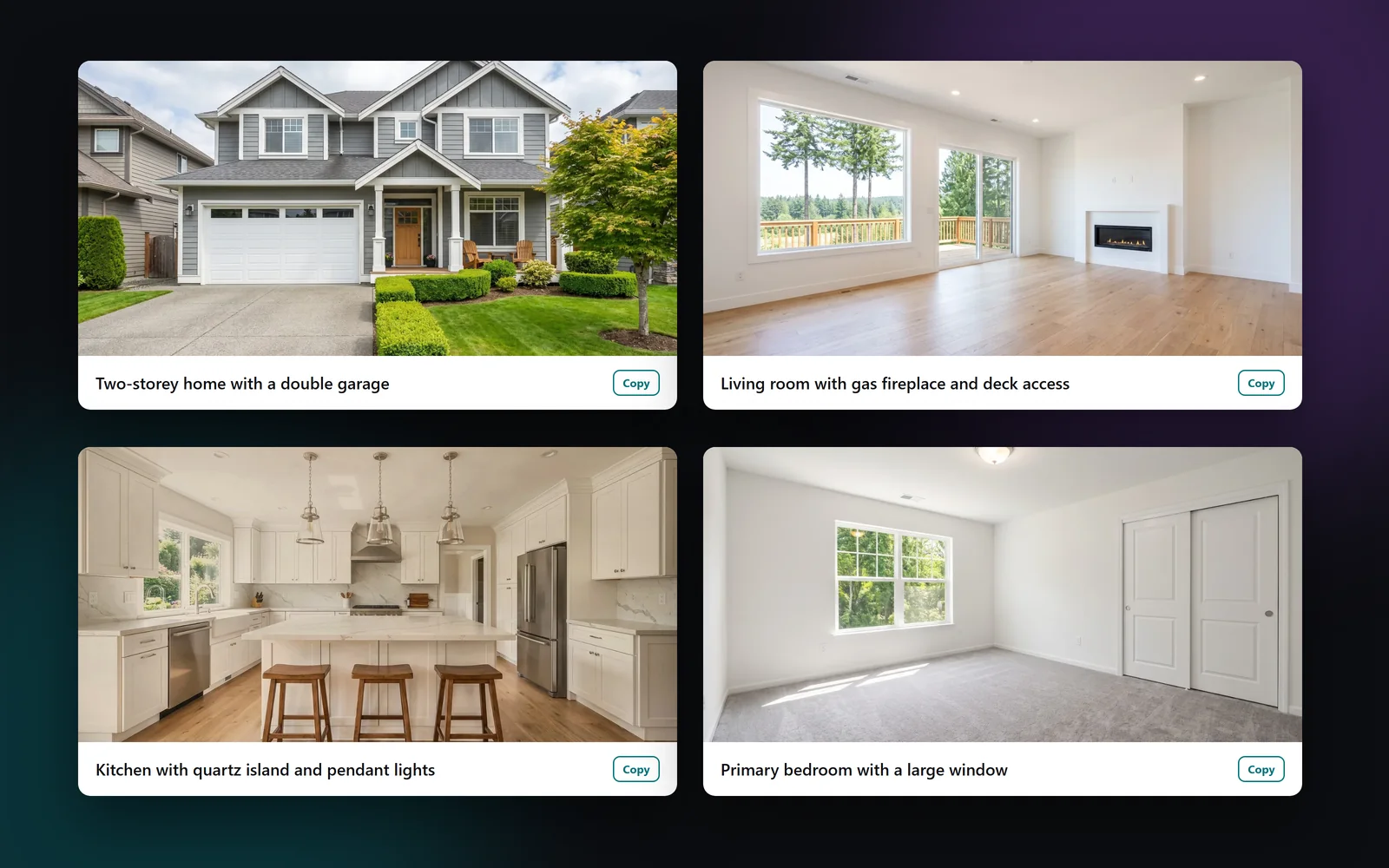
What makes a good real estate photo caption
A good caption tells a buyer what they're looking at and one thing worth noticing. It's short, specific and true. “Kitchen with island seating and pendant lights” helps. “Stunning dream kitchen!” doesn't.
Trulisted writes each caption in 100 characters or less, using the room tag and what is clearly visible. It skips hype words and exclamation marks, and it doesn't guess materials, brands, ages or views it can't see.
Staged furniture is never a feature
When a photo is virtually staged, the sofa and the rug aren't part of the sale. Captions describe the room, not the added furniture. The same goes for the listing description: a feature the AI only saw in a photo is marked “Confirm from photos” in the copy, so you check it before it's published.
Captions also describe the home, never the people who might live there.
Where your captions are used
Captions are written once with the listing copy and reused, so they match everywhere:
- The Results tab, where you can copy one caption or all of them for your MLS® photo descriptions
- The full-screen photo viewer on your listing website
- Photo slides in your social media carousel
- A numbered “Photo captions” file in the download ZIP, matched to each photo
Captions that pass the wording check
Every caption is checked against the same fair-housing and human-rights rules as your description. If a caption trips a rule, Trulisted replaces it with the plain room name, such as “Primary bedroom”, rather than publish risky wording. It uses the base wording rules, plus the draft rules for your province or state where there are any (BC, Alberta, Ontario and California, still in review). Up to 20 photos in each listing get a caption.
From upload to download in minutes
- 01
Upload the photos
Rooms are tagged automatically as they upload.
- 02
Create the copy
Captions are written with the listing description, at no extra cost.
- 03
Copy what you need
Copy one caption or all of them from the Results tab for your MLS® photo descriptions.
- 04
Used everywhere
The same captions appear on your listing website, carousel slides and in the download.
Built to help you follow the rules
Captions are written only from what is clearly visible and are checked against the base fair-housing and human-rights wording rules, plus your area's draft rules where there are any. A caption that fails is replaced with the room name. Staged furniture is never described as a feature, and the photo's label stays on the image wherever the caption appears. Read more: how to write a listing description that sells.
How Trulisted handles compliance →Photo captions: questions agents ask
How do I write captions for listing photos?
Name the room, then one specific, visible feature, such as “Living room with gas fireplace and deck access”. Keep it short, skip the hype, and never describe who the home suits. Trulisted writes them this way for you.
Are AI photo captions free?
Yes. They're written with the listing copy on every plan and use no credits.
How long is each caption?
100 characters or less: one short line per photo.
Will captions mention staged furniture?
No. Captions describe the room and what's really there, not furniture added by virtual staging.
Do captions go through the fair-housing check?
Yes. Any caption that trips a wording rule is replaced with the plain room name.
Works well with
See all features →- Listing description generator →MLS® remarks, a headline and bullets written from your facts in five tones, with the wording checked.
- Paste from MLS® →Copy a listing from your MLS® system, paste it, and about 20 fields fill in.
- Social posts and stories →Feed posts, a carousel, stories and captions for Instagram, Facebook and LinkedIn.
- Fair housing words checker →Paste any listing or ad and see the risky words, with safer wording for each. Free, no sign-up.
Try it on your next listing, free
Your first listing is free. No credit card needed.
Create your first listing free